BopOps Music Visualizers
Make a music visualizer video in under five minutes.
Most of which is you deciding which theme you like. Drop in an audio file, add your cover art, pick a look — and export it up to 4K, straight from your browser.
No upload. No render queue. No account. Your music never leaves your machine.
Step 01
Start a project
Name it, pick landscape or portrait, pick a resolution. The orientation is chosen per project, so the composition is built for that frame rather than cropped into it — landscape for YouTube, portrait for Shorts, Reels and TikTok.
- 16:9 or 9:16
- 720p · 1080p · 1440p · 4K
- 30 fps
Step 02
Drop in your track
It's analyzed on the spot. The app runs a full pass — spectrum, onsets, tempo, beat grid — over the entire song before it draws a single frame. That's what makes the visuals land on the beat instead of a fraction behind it, and what lets a theme anticipate the next hit rather than react to the last one.
Track-wide normalization comes free with it: a quiet acoustic take reads as alive on screen as a loud electronic one, without you touching a fader.
- Analyzed in your browser
- Nothing uploaded
- No render queue
Step 03
Add your cover and credits
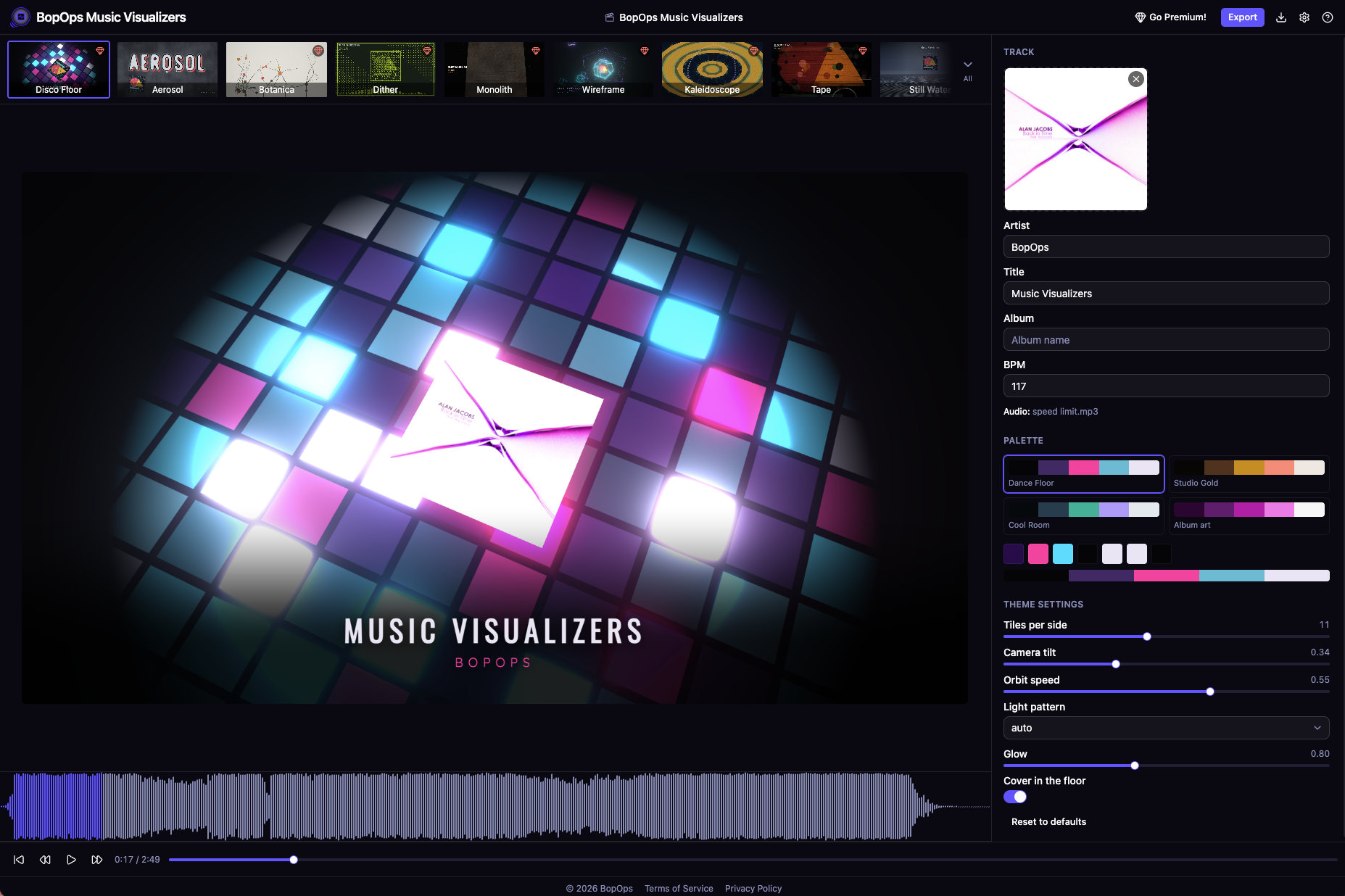
Artist, title, album — typeset over the visuals automatically. Drop in album art and the app pulls a real palette out of it: dominant, accent, secondary, plus a readable text pair, and tints the whole theme to match. Or ignore the art and choose one of the hand-picked palettes every theme ships with.
- Palette from your cover
- Named palettes per theme
- Automatic typesetting
Step 04
Pick a theme and tune it
Every theme has its own sliders and palettes, and the preview updates live. Spin, bloom, drift, segment count, RPM — the same song can look like four different releases.
What you see is exactly what you get: the preview and the exported video run through the same renderer, the same analysis data, the same code path. Scrub to any point, and the frame you see is the frame you'll get.
Step 05
Export
MP4 or WebM, up to 4K, streamed straight to disk as it encodes — so a four-minute 4K render doesn't have to fit in memory. It uses whichever codecs your browser can encode: H.264, HEVC, AV1, VP9. Quality presets run from fast-and-small to best-and-slow.
- MP4 or WebM
- Streams to disk
- H.264 · HEVC · AV1 · VP9
And the library keeps growing
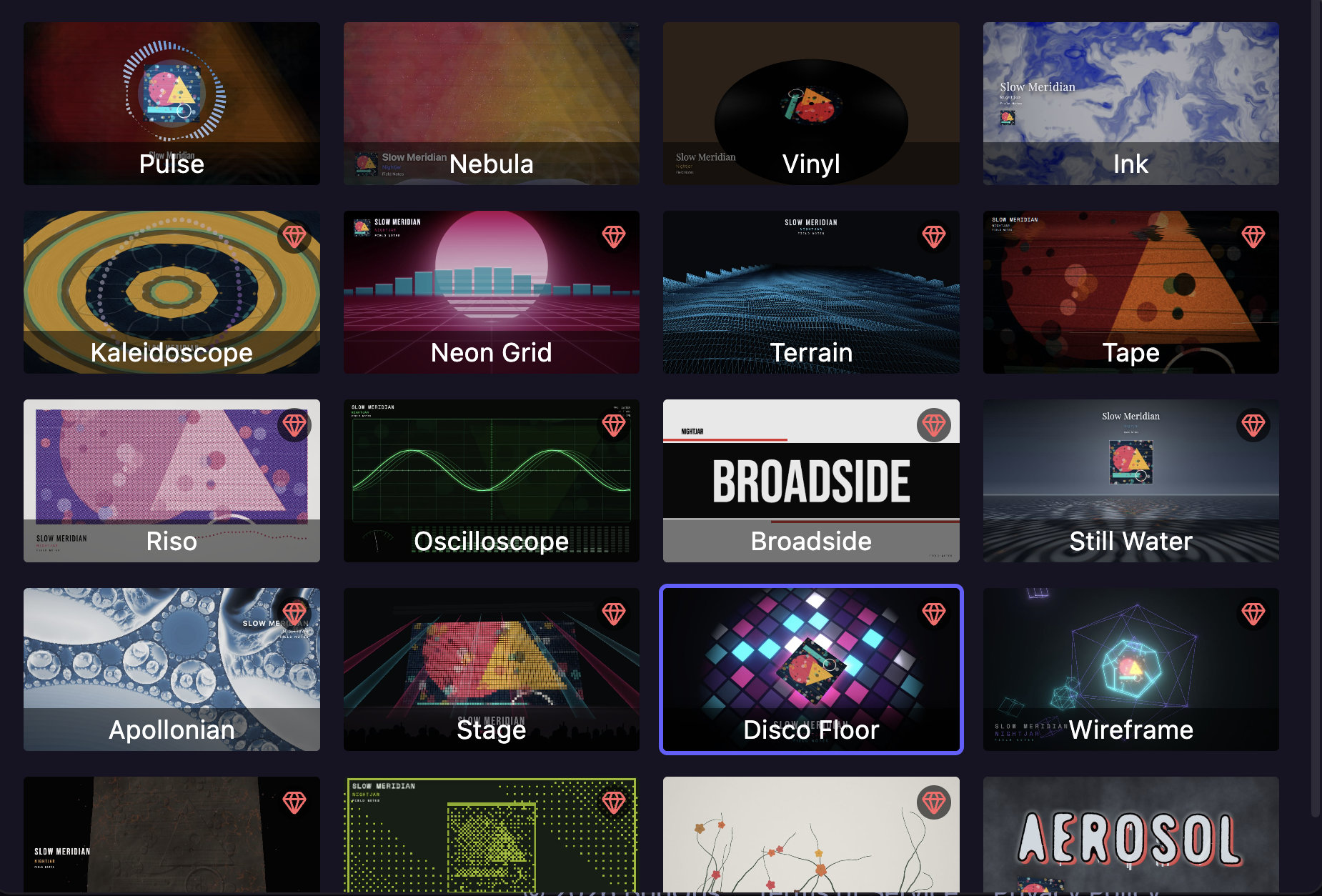
Some themes put your cover front and center and let the music move it. Some throw the cover away and paint the whole frame — particle fields, ink in water, raymarched chrome, a neon grid running to the horizon, risograph plates slipping on the beat, a dance floor firing tile by tile. New ones land regularly, and they're included.
Why it's different
No backend at all
Analyzed, rendered and encoded on your own machine. Nothing to upload, nothing to delete afterwards.
Beat-accurate by design
The whole track is read before the first frame, so themes anticipate rather than react.
Preview is the export
Same renderer, same data, same code path. No surprises at render time.
Colors from your cover
A real palette pulled from the artwork, or one of the hand-picked sets.
Free. Every theme. Every resolution.
Unlimited exports, no account. Premium themes render a small logo in the corner during the last ten seconds of an export — a one-time, perpetual license removes it. Free themes never carry it, for anyone.
Before you start
- Do I need an account?
- No. There's no sign-up, no login, and no server to sign up to.
- Where do my files go?
- Nowhere. Audio, artwork and projects stay in your browser's local storage on your own machine. Clearing your browser data clears your projects, so keep the exported video.
- Can I use the videos commercially?
- Yes — it's your music and your artwork. The app just renders it.
- What browser do I need?
- A recent Chrome, Edge or another Chromium-based browser is the safe bet — export uses WebCodecs. The app checks on load and tells you if something's missing.
Your track deserves better than a static square.
Open the app, drop in a file, and watch it move. Nothing to install, nothing to sign up for, nothing uploaded.